Case study 04 / 09
Memory Archive
Save a moment today, meet it again tomorrow. A time-capsule app that seals a photo, video or note until a date you choose.
Try the app ↗Overview
Capture has never been easier. Revisiting is where the behaviour breaks down. Memory Archive turns preserving a memory into a scheduled experience: anticipation first, nostalgia later, both designed rather than accidental.
The case study covers situational awareness, divergent ideation, a persona (Aarav, 20, a student in Bengaluru), four-tab information architecture, three user flows, a visual system and a working prototype tested on real phones.
Everyone documents. Almost nobody returns.
Photos vanish into a 12,000-image gallery, messages sink under new chats, stories expire in 24 hours. The six habits people use to "save" memories all solve storage, and none of them solve return. There is no intent, no time delay and no moment when anything comes back.
How might we make saving a memory feel like sending something to our future selves?
16 · 8 · 4
Divergent ideation around one behaviour, saving something now to meet it later, then narrowed twice.
16Ideas
- 01Digital time capsule
- 02Future-self messaging
- 03Birthday memory vault
- 04Relationship memory archive
- 05Memory calendar
- 06Scheduled photo reveal
- 07Scheduled video reveal
- 08Scheduled messages
- 09Group time capsule
- 10Memory map
- 11Childhood archive
- 12Yearly reflection
- 13“Open when…” memories
- 14Life milestone archive
- 15Anonymous future messages
- 16Personal digital museum
8Directions
- 01Digital Time CapsuleStrongest metaphor, understood instantly.
- 02Future-Self MessagingGives saving a reason and a recipient.
- 03Scheduled MemoriesThe mechanic every other idea depends on.
- 04Memory CalendarMakes waiting visible and gives the archive a structure.
- 05Relationship VaultEmotionally rich, but narrows the audience too early.
- 06Group Time CapsulePowerful, but adds accounts and sharing complexity.
- 07Life Milestone ArchiveNatural unlock dates, but relies on long-term retention.
- 08“Open When…” MemoriesA familiar, letter-like conditional unlock.
4Shortlist
- 01Future SelfYou are both sender and receiver; the memory is addressed to you, later.Intent
- 02Time CapsuleSealed and unopenable until its date, which is what gives it weight.The lock
- 03Memory CalendarUnlock dates give the archive a timeline and make waiting visible.Structure
- 04Open WhenA letter-like framing that feels personal, not technical.Tone
Who it's for
Aarav is a persona: a fictional user I built from the research to stand for the people the app is meant for.
01
Persona: Aarav, 20
A college student in Bengaluru who captures almost everything (photos, videos, voice notes, screenshots) and keeps sentimental content on purpose, but stores it in the same place as everything else. "I have thousands of photos but I rarely go back to them." What he needs:
- Effortless memory preservation
- A simple, low-friction interface
- A personal archive he owns
- A reason to rediscover
The app
Thirteen screens from the working prototype, in order: getting in, saving and sealing a memory, and coming back to it.
Try the app ↗Getting in
Log in or sign up, then a name that becomes your letter avatar.
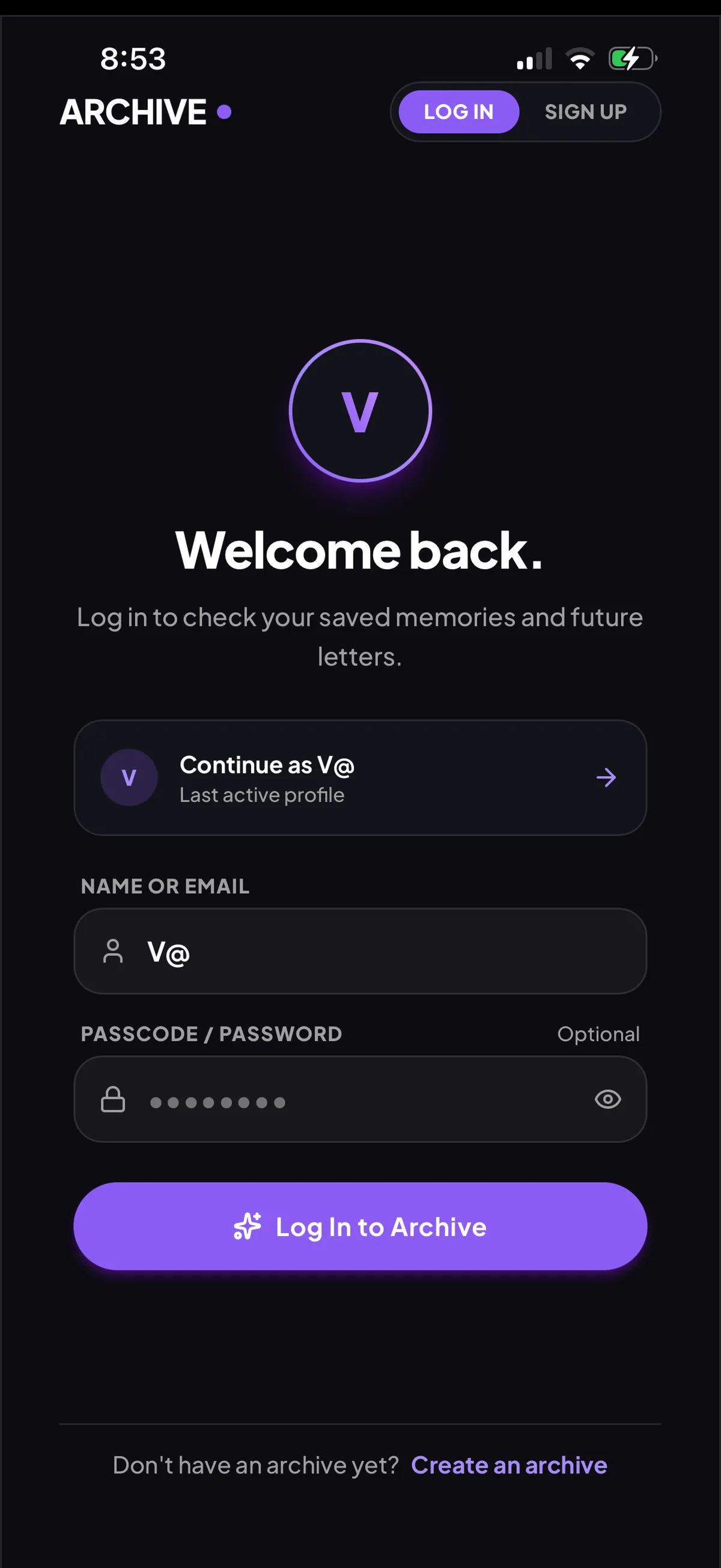
01 Log in to your saved memories and future letters
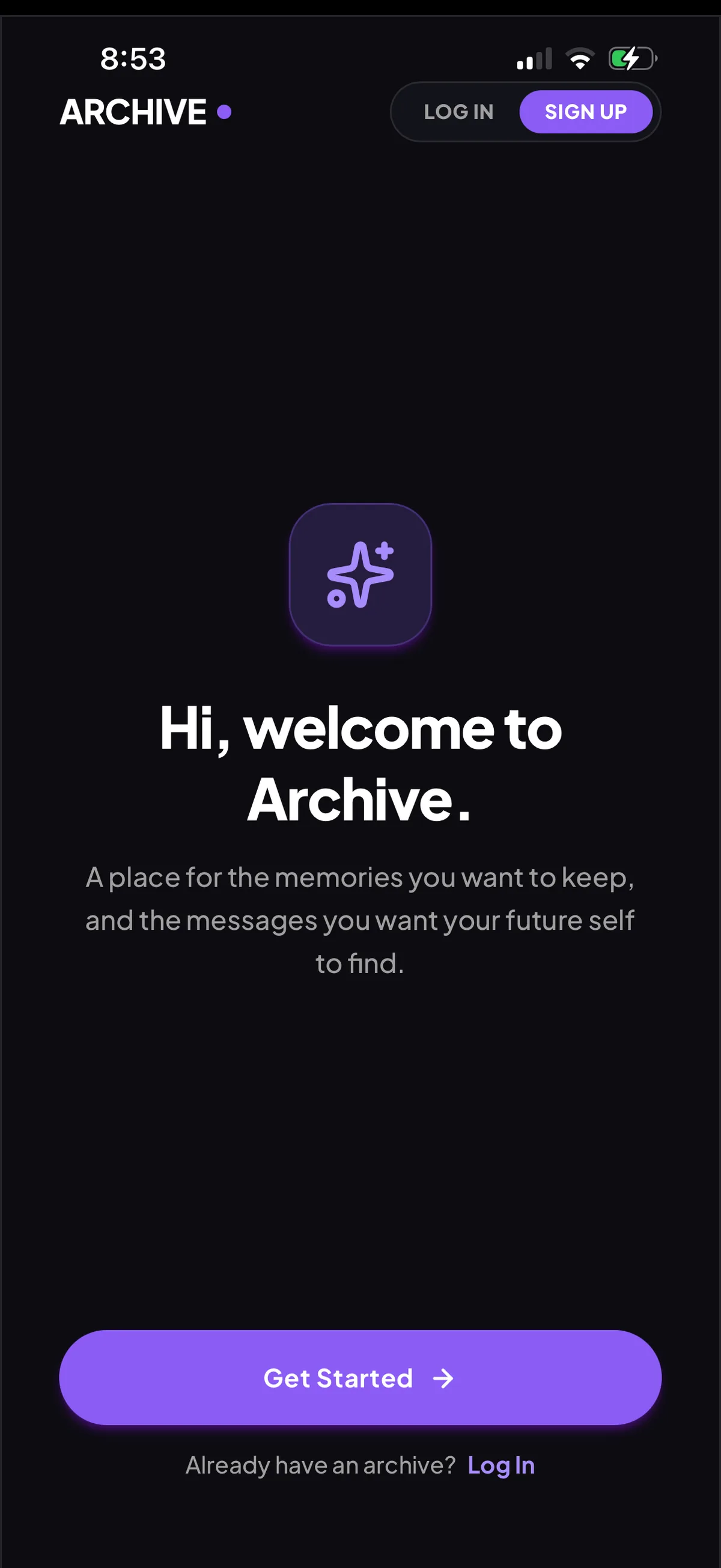
02 Sign up: a place for the memories you want to keep
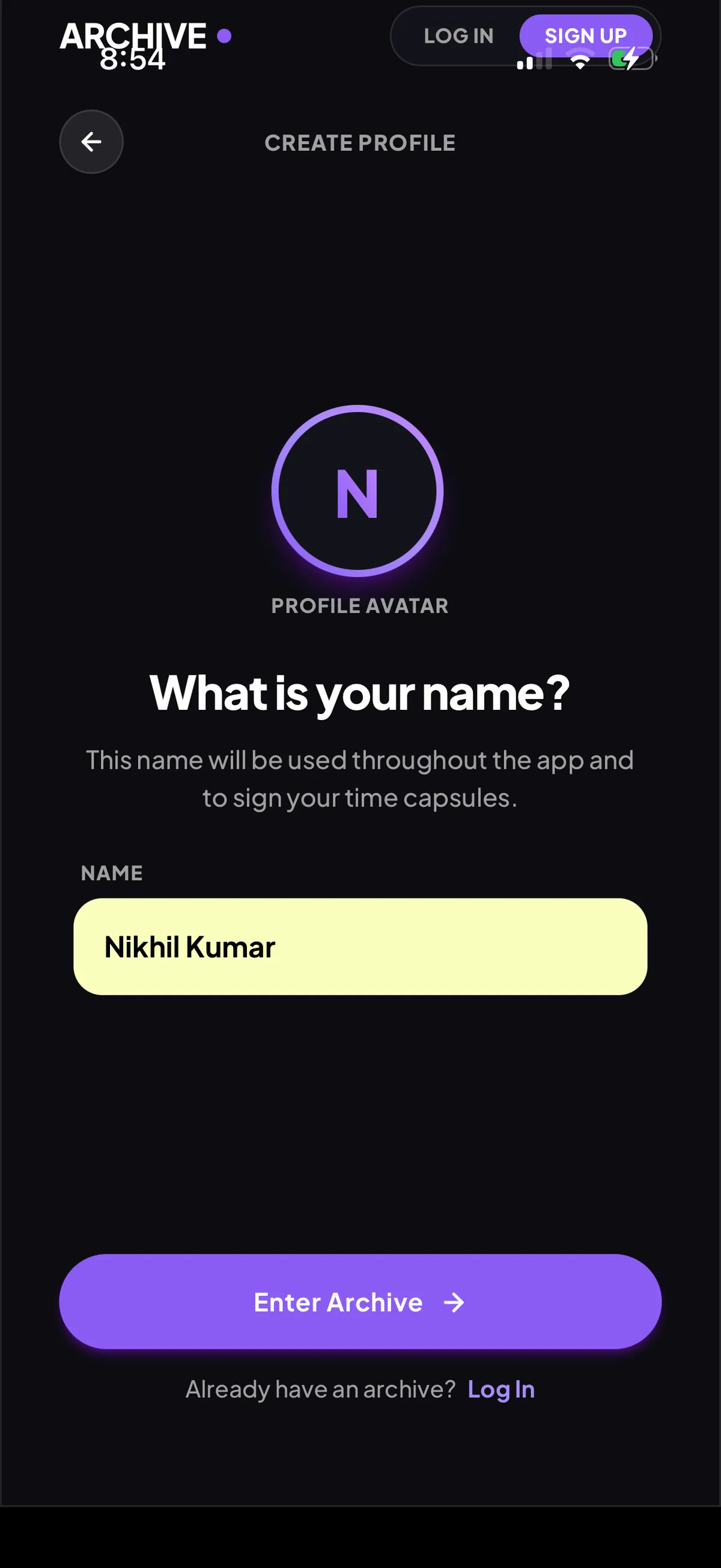
03 Your name becomes a letter avatar
Save and seal a memory
Home, create, add content, choose an unlock date, seal. Once sealed, it can't be opened early.
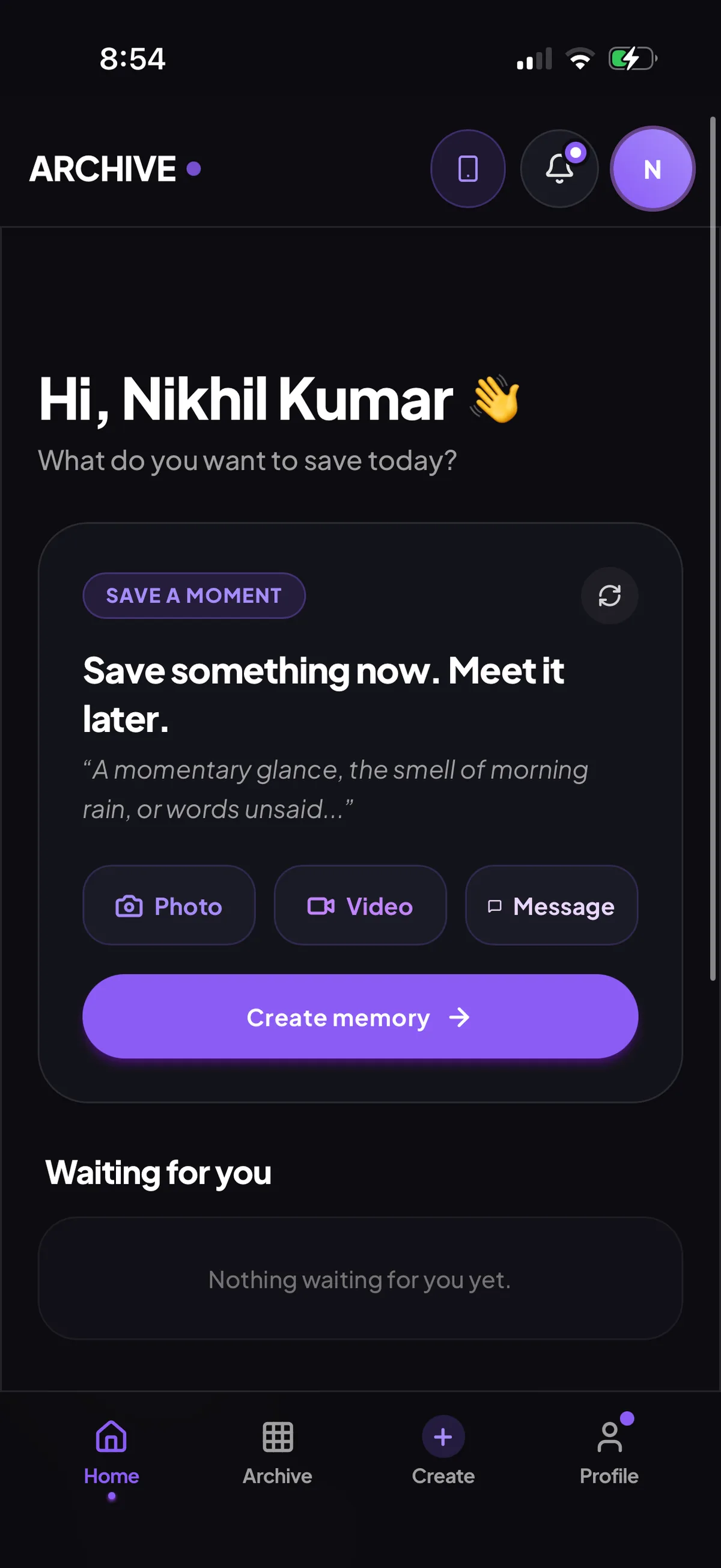
04 Home: one action, save a moment
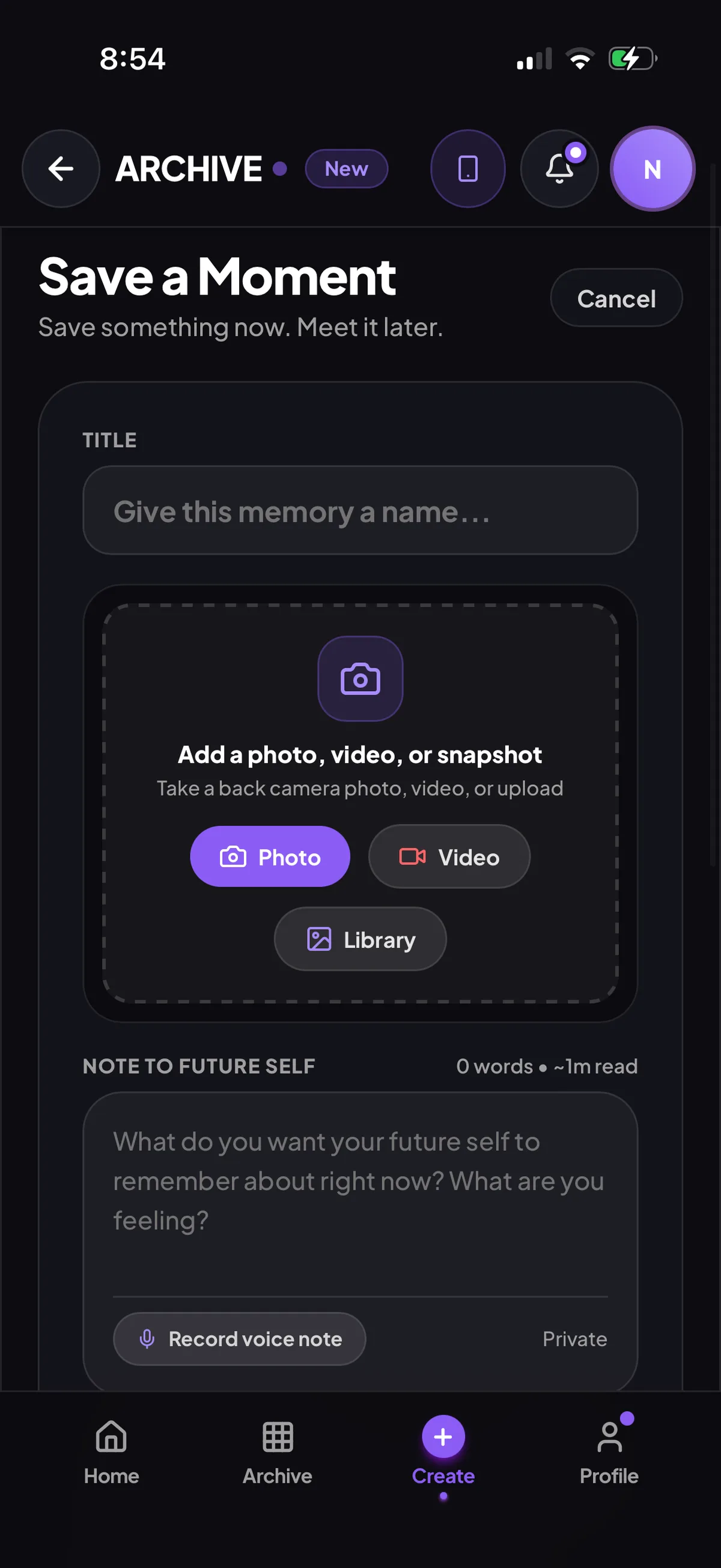
05 Give it a title and add a photo, video or note
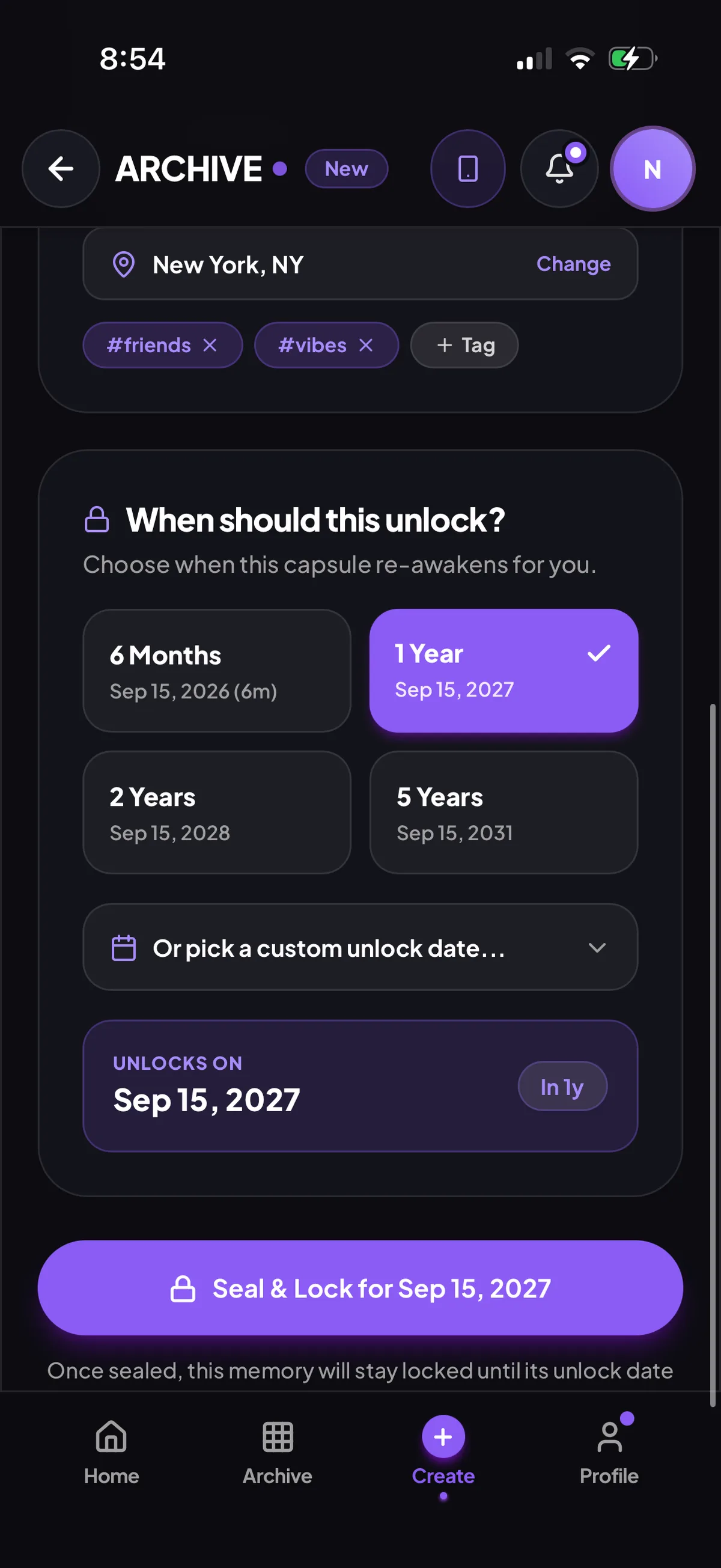
06 Choose when it unlocks: 6 months, 1, 2 or 5 years, or a custom date
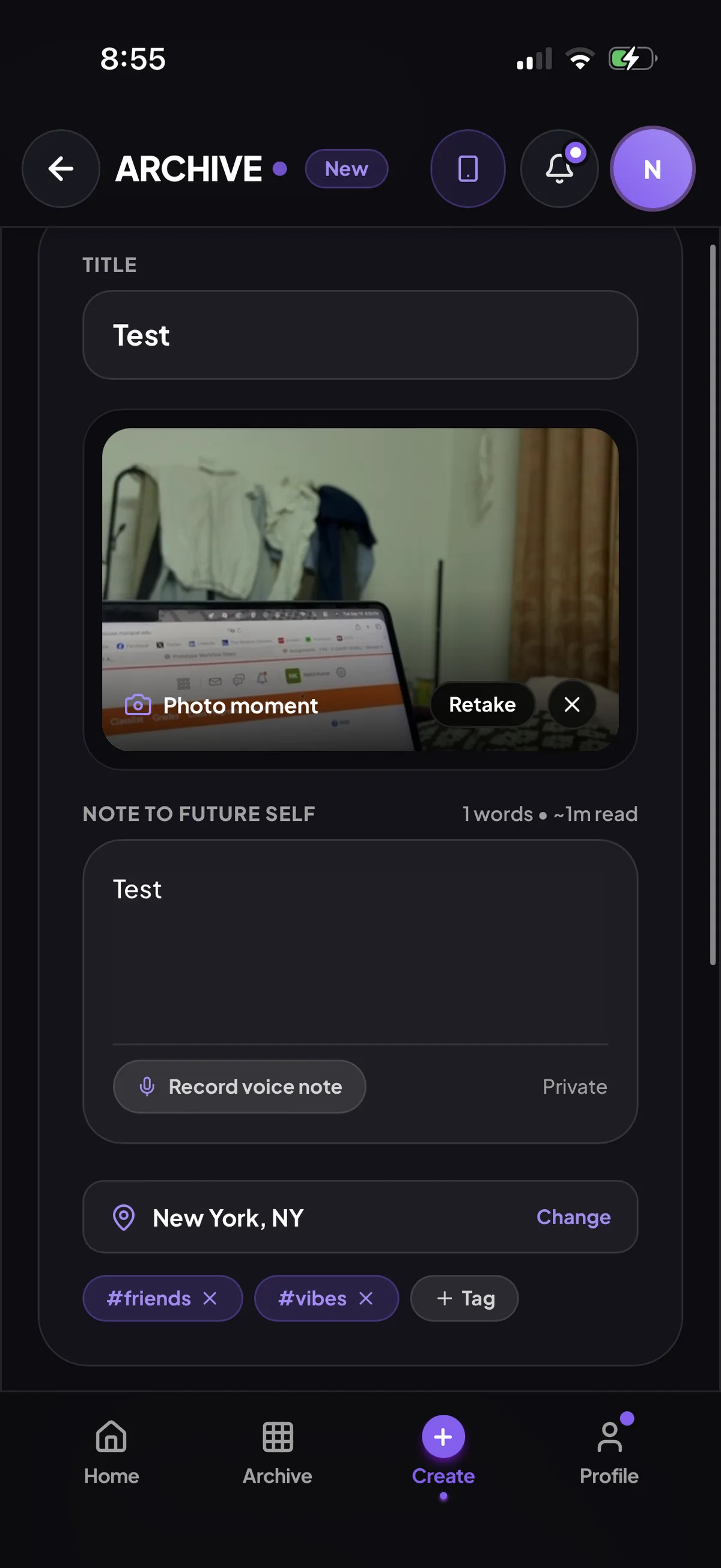
07 The photo and a note to your future self
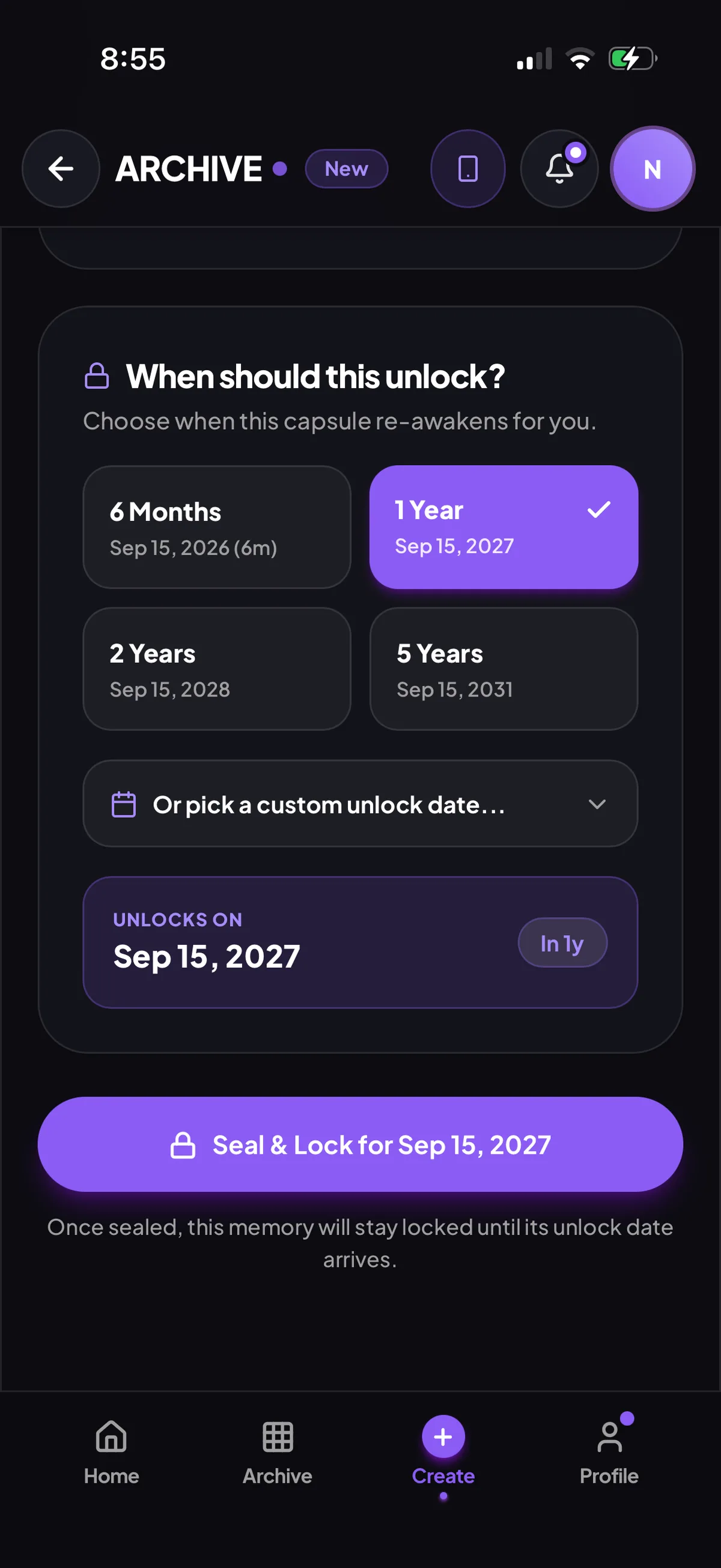
08 Seal and lock it for the chosen date
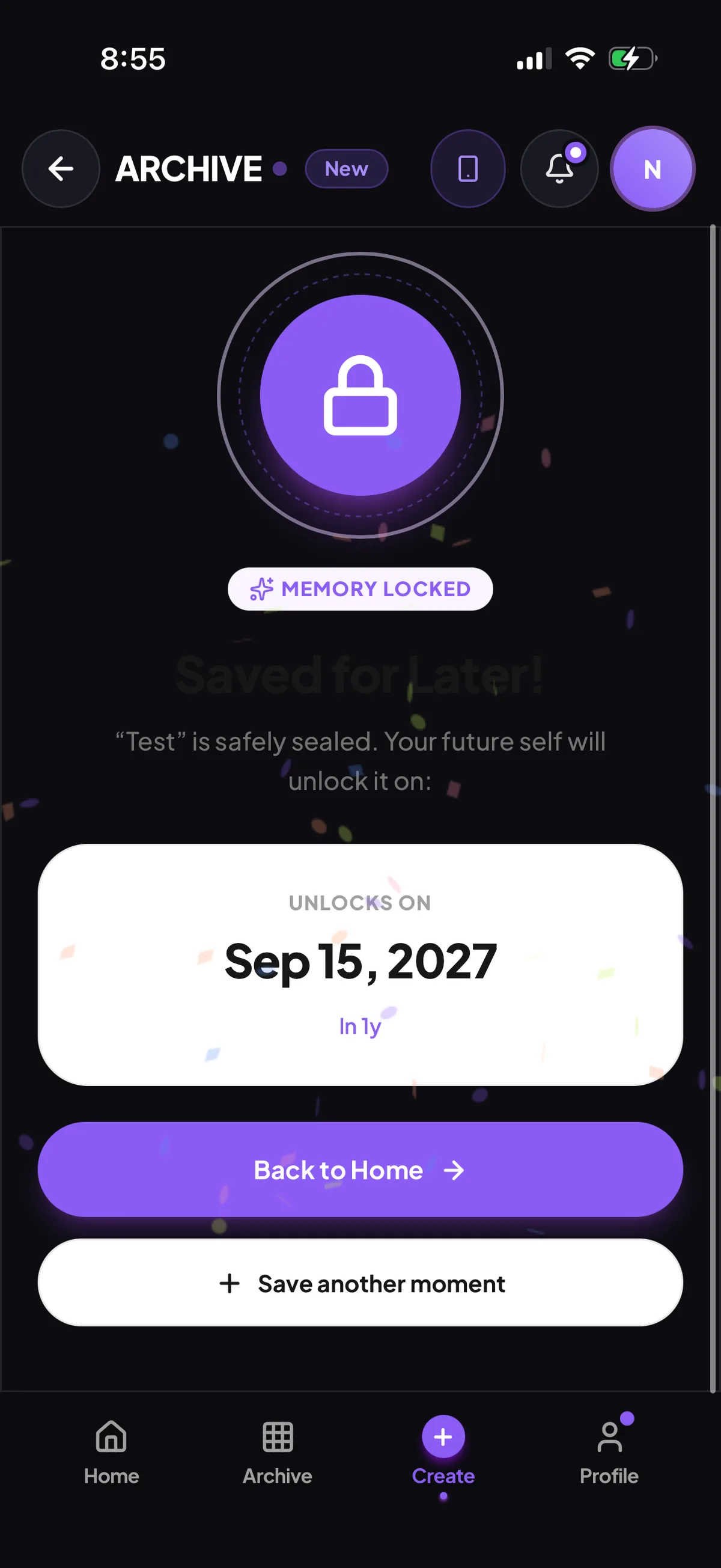
09 Sealed: saved for later, with its unlock date
Coming back
The archive, the countdowns and the moment a memory returns. The waiting is part of the product.
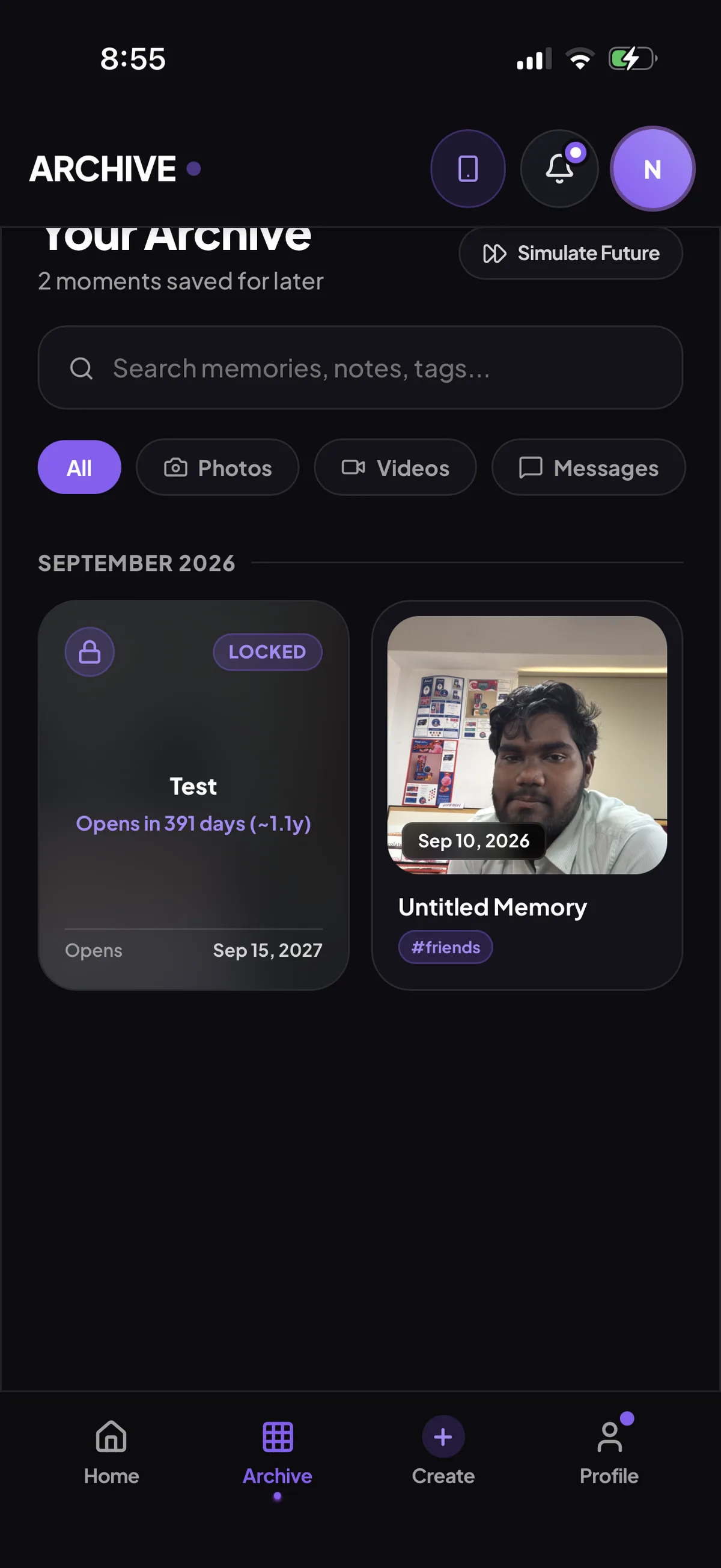
10 Your archive: locked memories count down, unlocked ones are ready
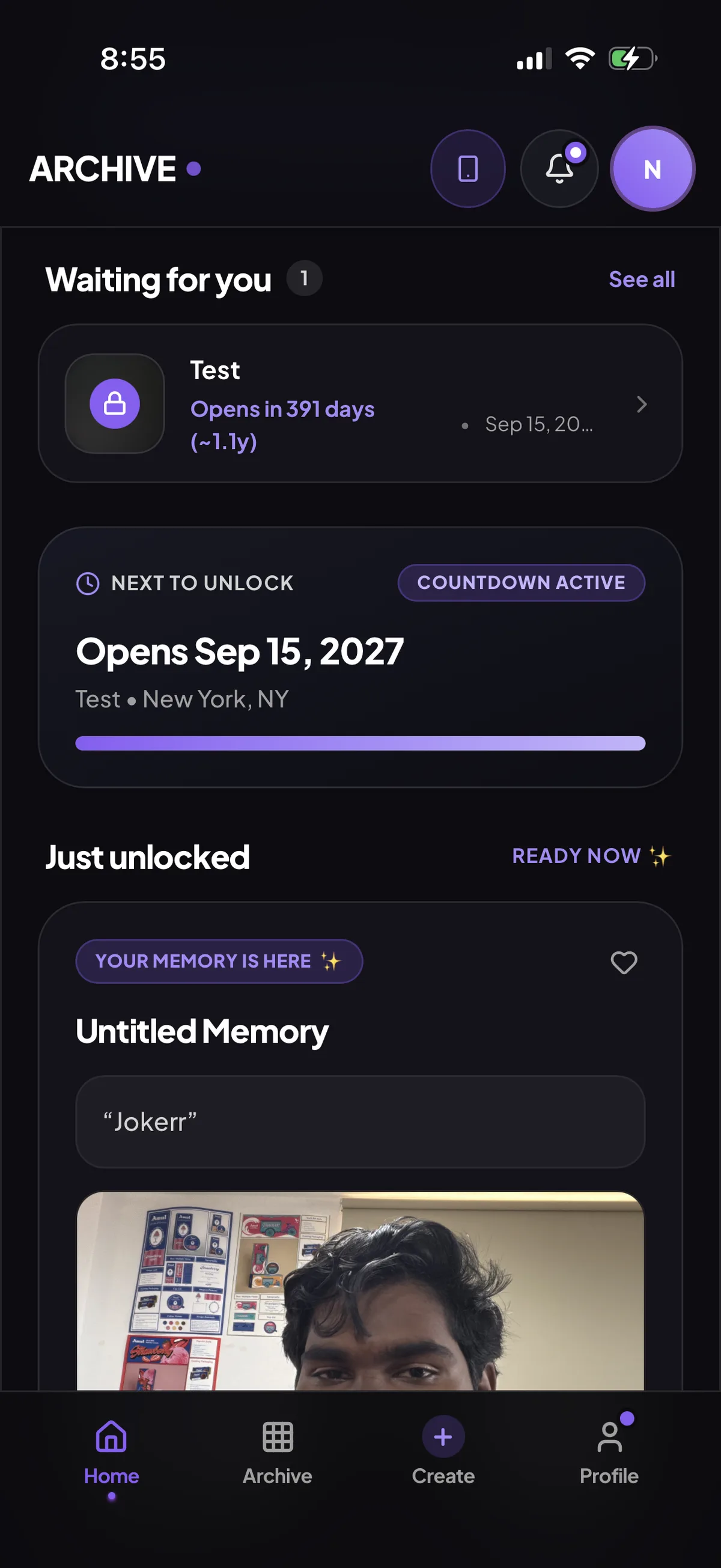
11 Home later: what's waiting, what's next and what just came back
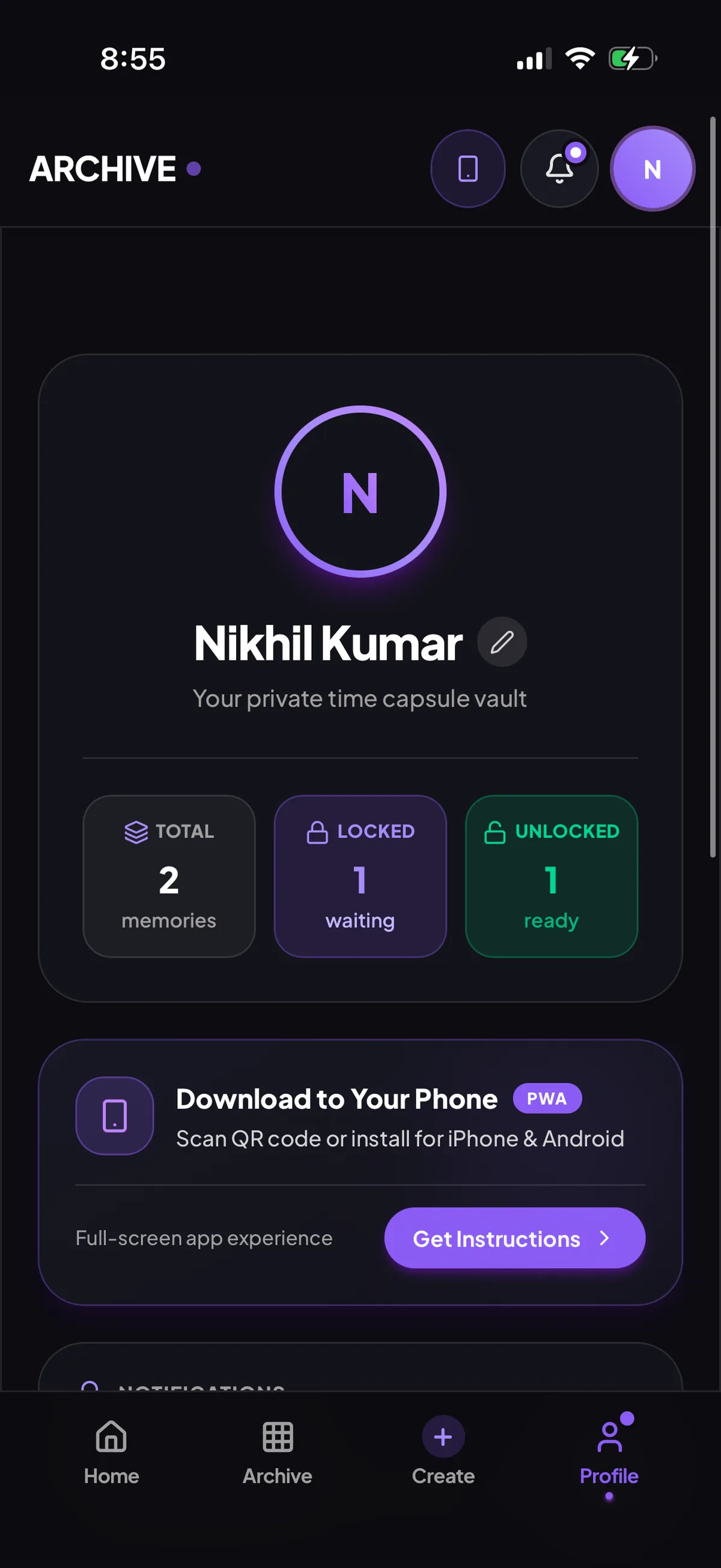
12 Profile: totals for locked and unlocked memories
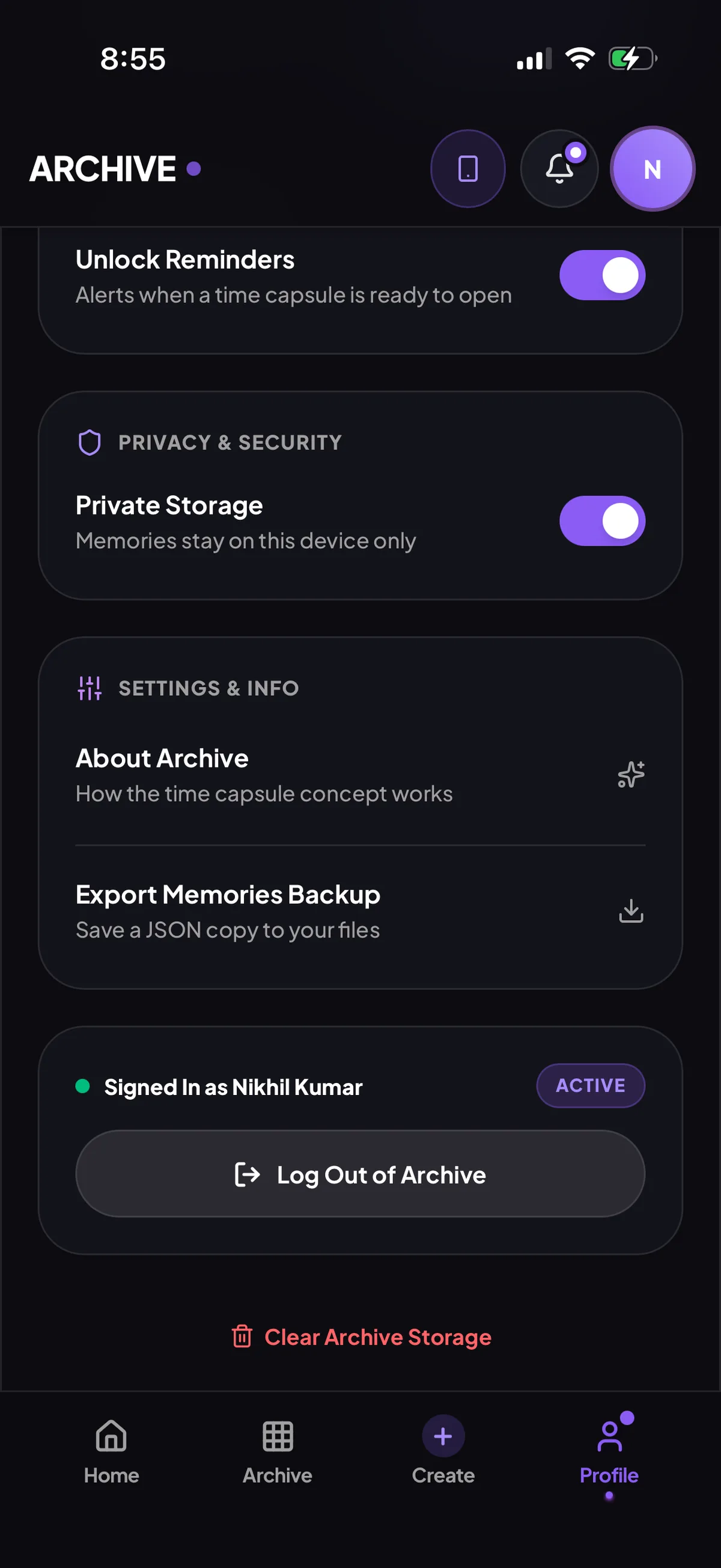
13 Settings: unlock reminders, private storage and a backup export
Visual system
Colour
- Primary#8B5CF6
- Accent#F2F5BE
- Unlocked#34D399
- Ground#0A0A0E
- Surface#14141A
One geometric sans in four weights. Selection cards stay dark until chosen, then turn solid purple. One full-width pill button per screen. Photos are never full-bleed: they sit in rounded cards with a date chip, so each reads as something kept.
Directed by me, produced with AI
I defined the problem, ran the 16·8·4 ideation, built the persona, structured the IA, wrote the three user flows and set the visual direction. AI was a production tool inside that process. Every prompt carried a constraint, and every output was checked against the flows.
Takeaway
A time delay isn't a feature to add at the end. It changes the IA, the copy and every empty state. The project explores how a product can move beyond storing memories and create an experience around anticipation, time and rediscovery.